

product Image
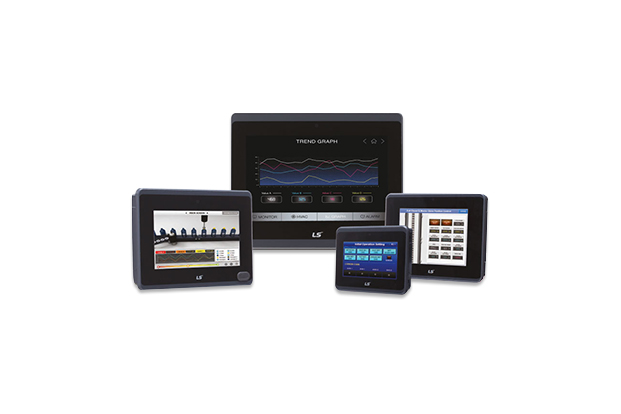
XGT Panel (eXP2 Series)
모델명
-
시리즈
HMI (Smart Automation Solution)
자료
-
구매정보
provider logo
엘에스일렉트릭(주)

전력솔루션과 자동화 솔루션, 글로벌 스마트에너지 솔루션 기업, Smart 전력송변전 솔루션, Smart 전력배전 솔루션, Smart 산업자동화 솔루션 등

연락처
1544-2080
이메일
-
상품정보에 문제가 있나요?
정보수정 / 삭제요청
코머신은 제품 판매자가 아닙니다.법적고지 및 안내
제조사
엘에스일렉트릭(주)[바로가기]
제품 타입
기계
브랜드
-
SKU
133088
제품명
XGT Panel (eXP2 Series)
모델명
-
사이즈
-
중량
-
제품 상세 정보

eXP2 Series


More Convenient Control

User-oriented interface, more powerful performance, fast screen changes and high levels of responsiveness.


Performance Enhancement (eXP → eXP2)


More Convenient Control

User-oriented interface, more powerful performance, fast screen changes and high levels of responsiveness.


Portrait Mode

ㆍVertical Mounting is available

ㆍSetting in XP-Builder: [COMMON]-[Project Property Setting]

Item eXP eXP2
Vertical Mode eXP20 Only O
PDF Viewer X O
FTP Client X O
VNC Client X O


PDF Viewer

ㆍPDF files can be displayed on XGT Panel.

ㆍIn the event of an alarm, the content of the alarm's trouble shooting can be checked on site as a PDF file.

ㆍPDF files on an FTP server can be displayed using a PDF viewer object.


FTP Client

ㆍFTP client is an object that can connect to the FTP server, display the list of files and directories on the FTP server, and download the selected file.

ㆍPDF files on an FTP server can ve displayed using a PDF viewer object.


VNC Viewer

ㆍRemotely monitoring PC or HMI using VNC Viewer is available

   - Download VNC server to HMI using XP-Manager.

  - Install a universal VNC server on your PC. (Ultra VNC, Real VNC, etc.)

ㆍAdd 'VNC Viewer' object to the project screen.


Model Naming

*1) Advanced Model: 07/10 model only

*2) Basic model: 05/07 model only


Hardware Description

① Front Screen

· Analog Touch pannel


② Power Status LED

· HMI status indication (On: Blue)


③ Panel Mounting Hole

· Mounting bracket


④ USB Device

· Logging/Recipe/Screen data backup

· Download/Upload project

· Upload project file

· XGT Panel update


⑤ Micro SD Card

· Backup of data such as alarm/logging/recipe and storage of screen data

· Send/Receive project data, Send XP-runtime


⑥ USB Host

· USB memory connection: logging/recipe/screen data backup

· Project data transfer/backup

· User interface connection: mouse/keyboard

· Printer connection

⑦ Battery Cover

· Reset switch, Backup battery, Setting switch

  * Please refer to user's manual.


⑧ Power Terminal

· Power input (24VDC)


⑨ Ethernet Terminal

· Ethernet: 10Base-T/100Base-TX

  1) Send project data

  2) Receive backup data and project file

  3) Send XP-Runtime

  4) PLC/Control device communication


⑩ COM3 Connector

· RS-422/485: PLC or control device communication


⑪ COM1, COM2 Connector

· RS-485, RS-232C: PLC or control device communication


엘에스일렉트릭(주)
엘에스일렉트릭(주)
전력솔루션과 자동화 솔루션, 글로벌 스마트에너지 솔루션 기업, Smart 전력송변전 솔루션, Smart 전력배전 솔루션, Smart 산업자동화 솔루션 등
문의하기