

product Image
PLC MASTER-K Series (Software)
모델명
KGL-WIN
시리즈
PLC (Smart Automation Solution)
자료
-
구매정보
provider logo
엘에스일렉트릭(주)

전력솔루션과 자동화 솔루션, 글로벌 스마트에너지 솔루션 기업, Smart 전력송변전 솔루션, Smart 전력배전 솔루션, Smart 산업자동화 솔루션 등

연락처
1544-2080
이메일
-
상품정보에 문제가 있나요?
정보수정 / 삭제요청
코머신은 제품 판매자가 아닙니다.법적고지 및 안내
제조사
엘에스일렉트릭(주)[바로가기]
제품 타입
기계
브랜드
-
SKU
133057
제품명
PLC MASTER-K Series (Software)
모델명
KGL-WIN
사이즈
-
중량
-
제품 상세 정보

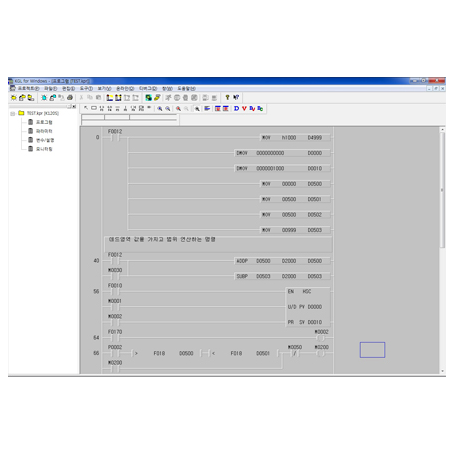
KGL-WIN (Software)

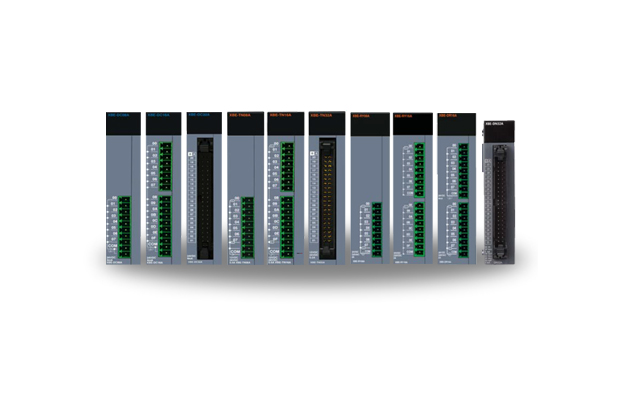
Powerful & compact module-type PLC K200S & K300S are module-type PLC that consist of various modules including the basic module (CPU, Power, I/O), communication module, and special module. Through these various modules, the user can configure the optimal system for industry environment.


Features

Introduction

KGL-WIN is a software tool that programs and debugs all Master-K PLC series.


Features

1) Program Compatible between LS Master-K Series.

- The user can use the Program (*.PGM) created in LS Master-K Series for the program created in other LS Master-K Series as well. The Program, Parameter, or Variable/Comment created in KGL-DOS or GSIKGL can also be used in KGL for Windows.

2) PLC System Configuration by Project Structure

- KGL for Windows manages the User-Defined Program as one Project including Parameter and Variable/Comment. A user can also save a Program (*.PRG), Parameter (*.PMT), Variable (*.VAR) or Comment (*.CNT) and the stored file can be used for other project files.

3) User Friendly Interface

- Easy and useful interface for creating, editing, and monitoring.

4) Online Editing

- Real time editing is available in online mode. The program edited in the online condition can be downloaded automatically without stopping the PLC hardware.

5) Monitoring Information from the PLC

- A user can easily monitor the PLC status such as error status, network information, and system status.

6) Debugging and Self-diagnosis (in New MASTER-K Series)

- Trigger and Forced I/O enabling are available for accurate debugging.


Connection with PLC

To connect with the PLC, the user selects the method of connection and the depth of connection. The method of connection consists of 'Connection using RS-232C', 'Dial-up modem connection', 'Connection using communication module'. And the depth of connection consists of 'Local connection', 'Remote 1 connection', 'Remote 2 connection'. The basic connection option of KGL-WIN is set as RS-232C (COM1) And the connection option and the environment setting are saved along with the project.

RS-232C wiring


System Requirement

Item Specifications
OS Windows 95 or later
PC IBM compatible PC (50MHz or higher)
Memory 8Mbyte or more
FDD 3.5 Inch or 5.25 Inch
HDD 20Mbyte or more
Serial port RS-232 needed
If you have a USB port only,
You need to use USB-RS232C converter.
Print/Mouse Compatible with Windows 95 or later
엘에스일렉트릭(주)
엘에스일렉트릭(주)
전력솔루션과 자동화 솔루션, 글로벌 스마트에너지 솔루션 기업, Smart 전력송변전 솔루션, Smart 전력배전 솔루션, Smart 산업자동화 솔루션 등
문의하기