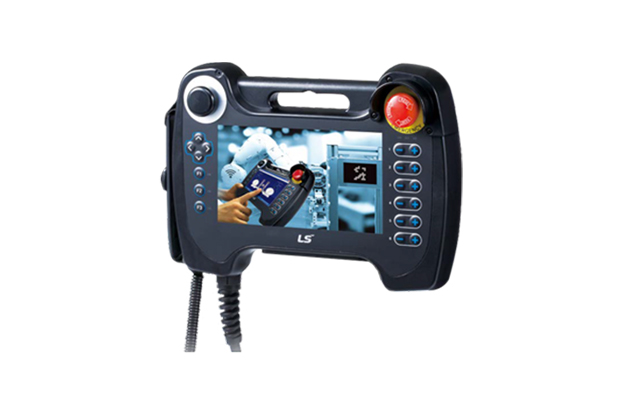
iXP2H Series (Handheld)
New Handyheld HMI iXP2H Series
Features
3-Position Enable Switch

Clear Visibility
ㆍExcellent visibility with high definition and wide screen view
ㆍ1024 X 600 resolution
ㆍ16M color

Project Transfer
ㆍEasy project creation by XP-Builder
ㆍConvenient downloading/uploading of project files via USB port and ethernet (Multi-language supported)

Specifications
| Model |
iXP2H-0702D Series |
iXP2H-0704D Series |
| Display type |
TFT color LCD |
| Screen size |
7” |
| Resolution |
1024 x 600 pixels |
| Color indication |
24-bit color (16.7M colors) |
| Backlight |
LED method, Automatic On/Off support |
| Backlight lifetime |
50,000 hours |
| Touch panel |
Resistive overlay (Pressure type) |
| Audio |
Magnetic buzzer (12Ø 85 dB) |
| Processor |
ARM Cortex-A9 800 MHz, single core |
| Memory |
Flash |
8 GB (Small memory: 128 MB) |
| Operating RAM |
1 GB |
| Backup RAM |
1 MB |
| Backup type |
Date/time data, logging, alarm, recipe data, non-volatile device |
| Battery |
CR1220 (3.0V/210 mAh, Around 3 years/25℃) |
| Ethernet |
1 x 10Base-T/100Base-TX |
| USB host |
1 x USB 2.0 (Below x 1) |
| RS-232C |
1 x RS-232C (Terminal block) |
- |
| RS-485 |
- |
1 x RS-485 (Terminal block) |
| Multiple languages |
Simultaneous display of 12 languages |
| Animation |
GIF format support |
| Recipe |
Supported |
| Data logging |
Supported |
| Script launcher |
Supported |
| Standard certification |
CE, KC |
| Protection standard |
IP42 (Front) |
| Dimensions (mm) |
195×270×72 (Excluding cables) |
| Power |
DC 24 V ±5% |
| Power consumption (W) |
12 |
| Weight (Kg) |
1.0 (Excluding cables) |
System Configuration and features
Front

① TFT-LCD
1024 x 600 TFT LCD, 16.7M color display
Resistive overlay
② Emergency Stop Switch
Immediately stops the control device or turns off the power as a safety feature
③ Left Keypad
Direction key
F1, F2, F3: User defined
④ Right Keypad
User defined
* Generally used as shortcut key of each axis of robot.
⑤ Extension device
Slot of the USB extension device
• When shipped, it is fastened with a separate cover.
• When used, the cover can be removed witha Phillips head(+) screwdriver for use.
Device Detail

⑥ Reset Switch
Switch for resetting the system
⑦ Debug Port
A debugging port for developers
⑧ USB Host
Connect to USB memory: Backup and send logging, recipe, alarm, and project data.
Connect to user interface: Use the mouse and keyboard.
⑨ USB Device(option)
USB device port(unsupported)
⑩ SD - Card
Software update
SD memory (store data)
Rear

⑪ Enable Switch
Released : Disable
Intermediate : Enable
Fully Pressed : Disable
Junction box

① Ethernet Port
Ethernet : 10Base-T/100Base-TX/1000Base-T
• Connector for Ethernet connection
② Serial terminal block
RS-485/232C communication connector
• 0702D(for RS-232 model): Tx, Rx, GND
• 0704D(for RS-485 model): TRx+, TRx-
③ Switch 2 terminal block
Signal that is controlled from the front side switch of the product.\
• Enable, Emergency(A contact, B contact) switch
④ Switch 1 terminal block
Signal that is controlled from the front side switch of the product.
• Enable, Emergency(A contact, B contact) switch
⑤ N.C
Not used
⑥ Power terminal block
DC 24 V input terminal block